Tailwind GPS vs Ride with GPS: wind route scoring for club riders (2026)
Club rides live and die by route and start-time decisions. Compare Tailwind GPS's hourly wind scores with Ride with GPS's wind layer for picking the best loop on Saturday morning.

Picture a Saturday club ride. Half the group wants to head north, half wants the southern loop. Both routes take around two hours. Both look identical on a map. But one of them, depending on when you leave, will have you grinding into a 25 km/h headwind for the last 40 minutes, and the other will give you a tailwind home.
Generic weather apps won't tell you that. A wind icon for your postcode doesn't know whether you're heading east or northwest, and it definitely doesn't know you're riding at 28 km/h. That gap is exactly where wind-aware cycling route planning becomes genuinely useful for club riders.
This comparison looks at two tools that tackle this problem differently: Tailwind GPS, a specialist wind-route scoring platform built around a single 0-100 score per route per departure hour, and Ride with GPS, a route planning and navigation platform with a native Wind map layer and an optional integration with Epic Ride Weather for deeper route-specific forecasting. For the captain's weekly workflow in more detail, see Tailwind GPS for club rides.
TL;DR: Tailwind GPS is built to answer one question fast: "which route, which hour?" Ride with GPS is built for route planning and navigation, with wind overlays available as a layer and route-specific timing forecasts achievable through Epic Ride Weather as a partner app.
Why wind-aware scoring matters for club rides
Club rides live and die by collective decisions. Someone has to commit to a route and a start time, usually the night before, and that call shapes the experience for everyone. A poor decision isn't just uncomfortable; it can split the group when stronger riders pull away into a headwind and weaker riders lose the wheel.
The problem with checking a standard weather service is that it reports conditions at a point, not along a route. Your club loop might head directly into a north-easterly for the first 30 km before turning south. Or it might have a punishing exposed section across open farmland that amplifies a moderate wind into something significantly harder. A city-postcode forecast misses all of that.
Route-specific wind forecasting for cyclists solves this by evaluating wind relative to the actual headings your route takes, segment by segment, at the specific time you'd be riding each segment based on your pace. That's a fundamentally different calculation from "it'll be windy in Bristol at 9am."
We'll compare wind scoring, hourly departure guidance, forecast horizon, alerts, Strava workflow, and route management limits across both platforms.
Head-to-head feature comparison
| Feature | Tailwind GPS (free) | Tailwind GPS (subscriber) | Ride with GPS + Wind Layer | Ride with GPS + Epic Ride Weather |
|---|---|---|---|---|
| Wind scoring (0-100) | Yes, per route per hour | Yes, per route per hour | No | No (narrative/chart forecast) |
| Hourly departure guidance | Yes | Yes | No | Partial (input a start time) |
| Best departure recommendation | Yes | Yes | No | No |
| Forecast horizon | 3 days | 14 days | Twice-daily updates | Varies by Epic Ride Weather plan |
| Wind data source | Hourly forecast grid | Hourly forecast grid | NOAA-derived (updated 2x daily) | Separate forecast provider |
| Route-level headwind/tailwind % | Yes | Yes | Visual overlay only | Yes |
| Email/score alerts | No | Yes (weekly + per-route) | No | Via Epic Ride Weather |
| Strava route import | Yes | Yes | Yes (sync) | Via Ride with GPS |
| Max tracked routes | 3 | 40 | Unlimited (route library) | Via Ride with GPS |
| Apps needed | 1 | 1 | 1-2 (+ Epic Ride Weather for timing) | 2 |
| Club-route workflow | Import, score, share link | Import, score, share link, alerts | Plan, navigate, toggle layer | Plan, navigate, add Epic forecast |
The clearest difference in the table: Ride with GPS's Wind layer (confirmed in the official Map Layers help article, updated March 2026) shows NOAA-derived wind speed and direction as a visual overlay on your map. That's useful for situational awareness. But it doesn't produce a departure-hour recommendation or a numeric score. For that, you'd need to pair it with Epic Ride Weather, a separate app that takes your route, start time, and riding speed as inputs and produces a route-specific forecast (confirmed in the Ride with GPS Epic Ride Weather help article, April 2026).
So for a club organiser who wants to say "ride Route A at 8am, not 9am, and you'll have a tailwind home": Tailwind GPS produces that answer natively. Ride with GPS needs two apps to approximate it.
How Tailwind GPS computes route-level hourly scores
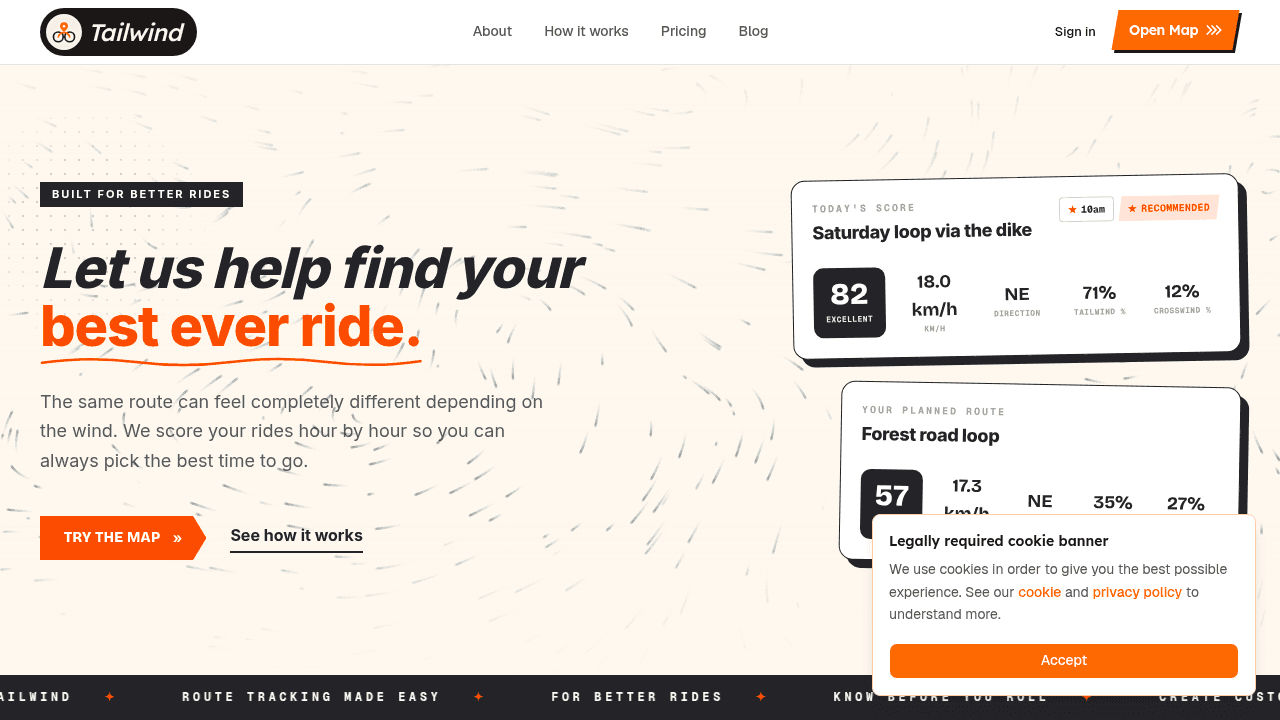
The Tailwind Score is a single number between 0 and 100, generated for each route for each departure hour across the forecast window. Higher scores mean more favourable conditions.
Here's the methodology. Each route is divided into segments. For every departure hour, Tailwind works out when you'd actually be riding each segment, based on your typical pace (pulled from your Strava activity history). It then samples hourly forecast grid data for wind direction and speed at the location of each segment at that projected time. The score incorporates wind direction relative to the segment heading (giving you tailwind %, headwind %, and crosswind %), plus temperature and precipitation along the route.
Critically, all of those segment scores are then weighted by segment length and combined into a single route-level number. So a 5 km exposed section into a headwind doesn't get the same weighting as a 20 km section with a tailwind; the score reflects the actual proportion of your ride affected by each condition.
The output goes beyond the headline score. You also see mean wind speed, dominant wind direction, and the tailwind/headwind/crosswind percentage breakdown. That lets you make a genuinely informed call, not just "conditions look okay" but "I'll have 60% tailwind on this route if I leave at 7am."
The pace personalisation is worth emphasising for club use. Two riders on different bikes with different fitness levels will experience wind differently across a route, because they'll be at each segment at a different time. Tailwind's scoring accounts for your pace, which means the recommended departure time is personal to how you actually ride.
Club rider use cases and recommended workflows
Choosing between two routes for a group start time
Your club has a fixed 8am Saturday slot and three regular loops. In Tailwind GPS, you import all three routes via Strava (or upload GPX files), and by Friday evening you can see a score for each route at 8am. Route C scores 72/100. Route A scores 38/100. Decision made, no debate needed.
With Ride with GPS alone, you'd toggle the Wind layer, look at the map, and make a judgment call. If you also subscribe to Epic Ride Weather, you could generate a forecast for each route at 8am, but you'd be doing that manually for each route, reading a chart or narrative rather than comparing three numbers side by side.
Route-change calls on the day
Tailwind GPS subscribers get per-route email alerts and wind score notifications. So if Friday morning brings a significant shift in the forecast, you get a notification rather than having to remember to check. That matters when you're coordinating a group and someone needs to send a WhatsApp at 7pm telling people which route is on.
Training with purpose: using headwinds deliberately
Not every ride is about comfort. Tailwind vs headwind planning for club rides isn't just about finding the easiest conditions. If you're doing intervals or building strength, a low Tailwind Score might be exactly what you want. The score gives you an objective baseline either way, so you can choose hard conditions deliberately rather than accidentally.
Sharing the decision across club members
Tailwind GPS supports shareable route links with time-specific scores, so the ride organiser can send one link that shows the route and its best departure window. Every member sees the same data. Compare that workflow to trying to share a Ride with GPS Wind layer view with eight people who may or may not have the Premium tier needed to see the layer.
Side-by-side workflow summary
Tailwind GPS workflow: Connect Strava or upload GPX → routes scored automatically → check scores for each departure hour → set alerts → share link with club.
Ride with GPS + wind workflow: Build or import route → toggle Wind layer for situational awareness → (if you want timing-specific forecasts) open Epic Ride Weather, input route and start time → read forecast → repeat for each route option.

Pricing and route limits for club deployments
Tailwind GPS runs on a freemium model. The free tier lets you track up to 3 routes with a 3-day forecast window. Paid plans unlock up to 40 routes and a 14-day forecast, priced at $2.99/month or $19.99/year (as of June 2026). For a club with a route library of weekly loops, gravel options, and hill variants, the paid tier is the practical unlock: 40 routes covers most clubs' regular rotations, and the 14-day window means you can plan two weekends out.
Ride with GPS has multiple pricing tiers including a Premium plan, and the Wind map layer availability is tied to their plan structure (it's worth checking their current pricing page directly, as feature availability per tier can change). On top of that, if you want route-specific forecast depth via Epic Ride Weather, that's a separate subscription cost. So for a club rider who wants wind-aware route timing, Ride with GPS's total cost may combine two subscriptions.
Tailwind GPS's annual plan at $19.99 keeps it straightforward: one app, one subscription, wind scoring with alerts included.
Ride with GPS does offer Organisation Accounts for clubs, which includes shared route libraries and club member management. That's genuinely useful for larger clubs that need centralised route management. Tailwind GPS's shareable links address a similar workflow, but at the moment it doesn't have a dedicated organisation-level account structure.
Frequently asked questions
Does Ride with GPS score wind like Tailwind GPS?
No. Ride with GPS provides a Wind map layer (NOAA-derived data, updated twice daily as of March 2026) that shows wind speed and direction visually along your route. That's a wind overlay, not a wind score. Tailwind GPS produces a 0-100 score per route per departure hour, computed from segment-level wind data weighted across the whole route. They're different outputs answering different questions.
Which gives a better "best time to start" recommendation for a specific route?
Tailwind GPS is purpose-built for this. You see scores for every departure hour on a single screen, and the app highlights the recommended window based on your pace. Ride with GPS doesn't natively output a departure-time recommendation. Epic Ride Weather (via Ride with GPS integration) can generate a forecast for a specific start time you input, but it doesn't scan across all departure hours and rank them for you the way Tailwind does.
Do both work with Strava?
Yes, both integrate with Strava. Tailwind GPS uses Strava to sync your saved routes directly into the platform and pulls your typical pace from activity history to personalise departure recommendations. Ride with GPS integrates with Strava for ride syncing and route management. Epic Ride Weather also connects via your Ride with GPS account. So Strava integration for cycling route planning works across both ecosystems, but the depth of what gets done with that data differs significantly.
Do you get alerts for wind and rain timing?
Tailwind GPS subscribers get weekly summary emails, per-route email alerts, and wind score notifications built into the platform. If conditions shift, you're notified without having to log in and check. Ride with GPS has notification features, but route-specific rain and wind timing alerts of the Tailwind variety are typically delivered through Epic Ride Weather rather than natively within Ride with GPS itself.
For club organisers, which is easier to use for wind-aware decisions?
For the specific job of picking the best route and best departure hour based on wind: Tailwind GPS is easier. One app, one score per route per hour, shareable links. For the broader job of building a route library, managing club membership, providing turn-by-turn navigation, and syncing to GPS devices: Ride with GPS is stronger. Most clubs would use both for what each does best, but for the wind-decision workflow specifically, Tailwind GPS has fewer steps.
Plan your club ride
Score your Sunday loops and share the best departure window with your group.
Related posts

Introducing Ride Huddles: a simple way to choose your next group ride
Ride Huddle is a simple way for groups to choose a route together. Create a Huddle, add your routes, share one link, and let everyone vote — free, with no account required.
·2 min read

Best departure time for a group ride
You've got 18 riders rolling at 08:30 on Saturday. The group chat says it looks fine. The weather app on someone's phone shows a south-westerly at 20 km/h. Fine. But your usual loop heads due west for the first 25 km before swinging back east, and that south-westerly becomes a sustained crossw...
·7 min read

Tailwind GPS for club rides: route planning and sharing for Sunday groups
Help your club pick the best Sunday loop with route-specific wind scores — so the whole group gets their best ever ride, not a headwind slog.
·5 min read