Introducing Ride Huddles: a simple way to choose your next group ride

Ride Huddle is a simple way for groups to choose a route together. Create a Huddle, add your route options and share one link with the group. Everyone can view the routes on the map, check the weather and Tailwind Score, and vote for the route they want to ride.
No account is required to join, and you can have a Huddle ready to share in seconds.
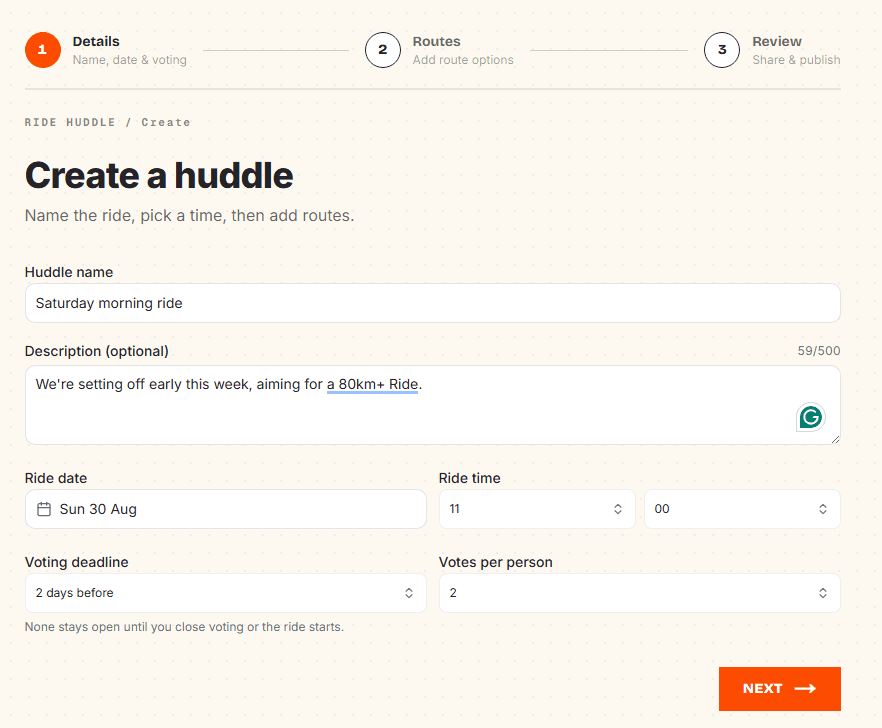
Create a Huddle
Start by giving your ride a name, choosing the date and setting when voting should close. You can also set the number of votes each person gets.
That's it. Once the basics are in place, you can start adding routes.
Add your routes
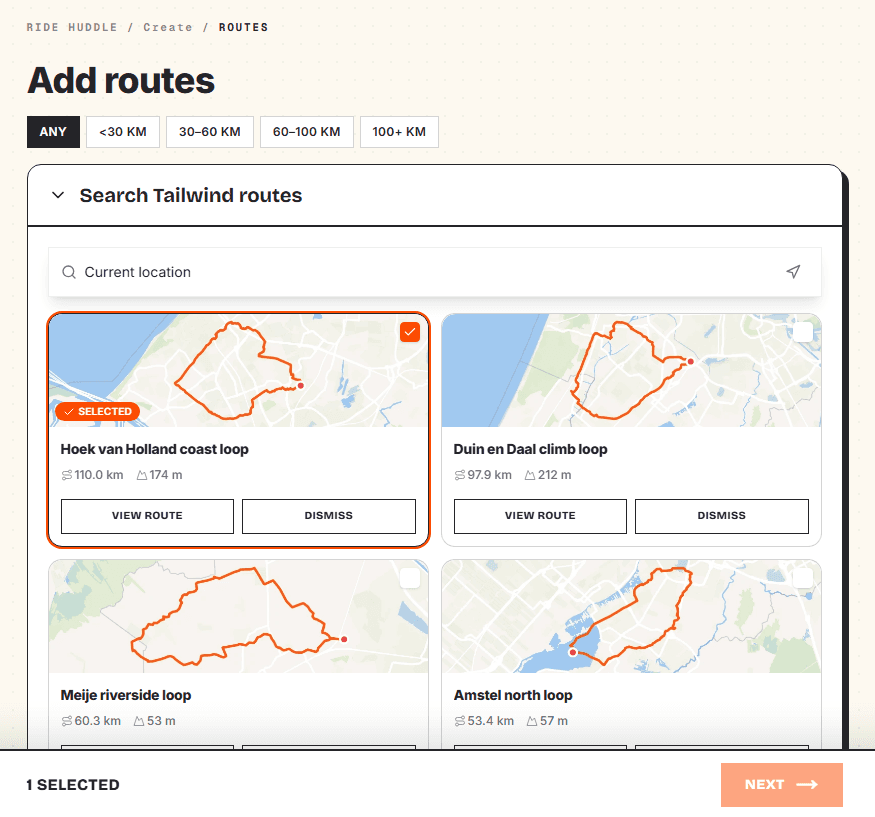
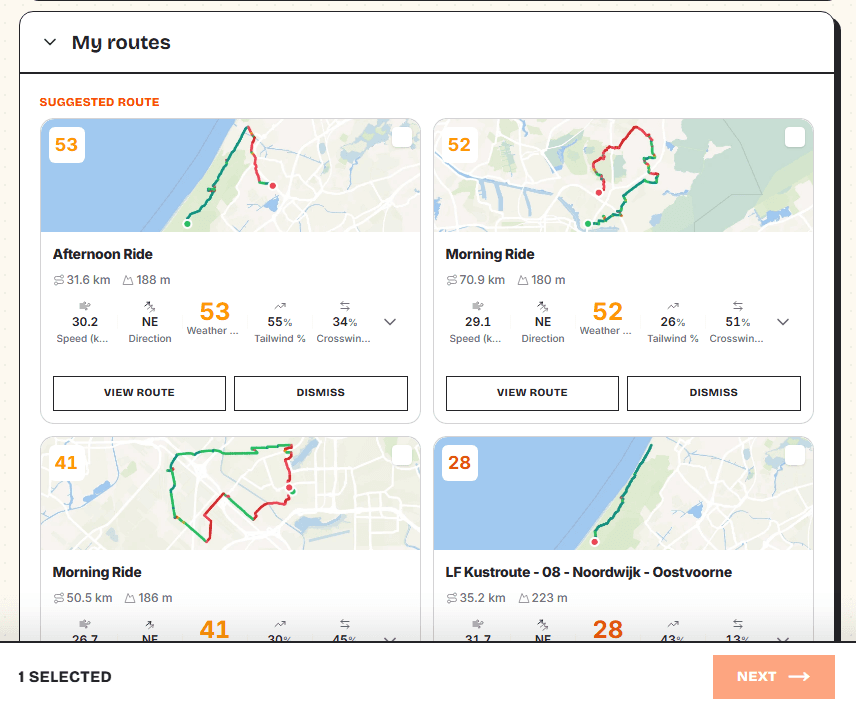
Bring your routes into the Huddle however you like.
Use routes already saved to your Tailwind account, browse the Tailwind route library, import a GPX file or add routes you've already got from Strava.
You can add multiple options so everyone has something to choose from, whether that's a familiar local loop, a new route you've discovered or a completely different option for the day.
Share it with the group
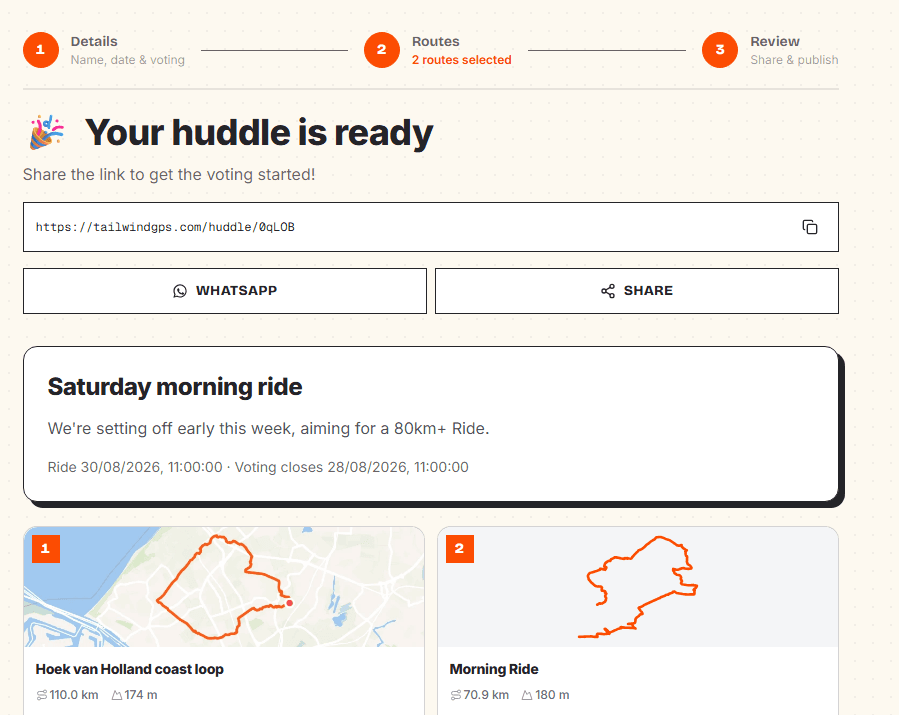
Once your routes are ready, share the Huddle URL with your friends, club or group chat.
Anyone with the link can open the Huddle and take part. There are no invitations to manage and no account required just to vote.
Vote on the actual routes
Everyone can see the full routes on the map before they vote, making it easy to compare the options and choose a favourite.
Each route also includes its Tailwind Score and weather for the ride, giving the group useful context alongside the route itself.
Pick your favourite, cast your vote and see how the group is leaning.
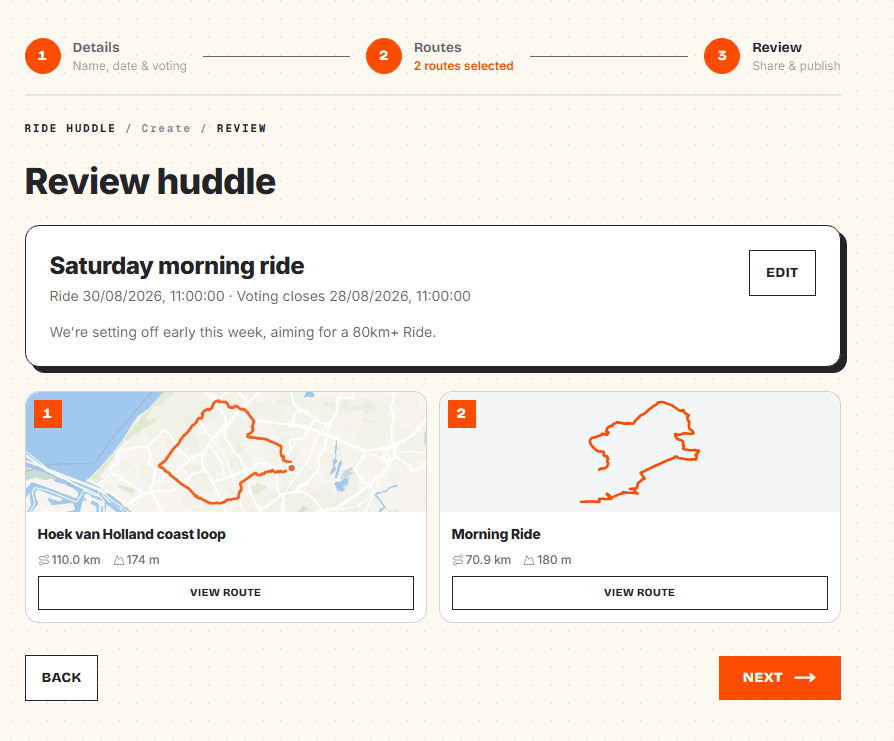
Let the Huddle decide
Set a deadline and let everyone vote before the ride. When voting closes, the winning route is ready for the group.
The Huddle keeps everything together, so there is no need to search back through the group chat for which route everyone agreed on.
One link for ride day
The same Huddle link can be used after the vote too.
Everyone can come back to see the winning route, check the map, see the latest weather and Tailwind Score, and download the GPX they need for the ride.
One link takes the group from choosing the route to actually riding it.
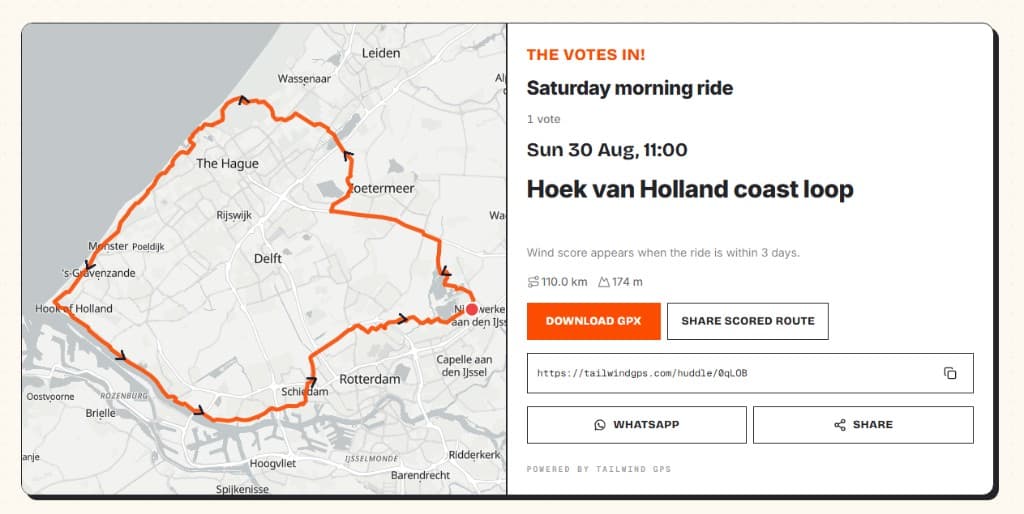
Free for everyone
Ride Huddles are completely free to create and free to join.
You don't need a Tailwind account to vote, and there's nothing for your group to download. Just create a Huddle, share the link and let everyone choose.
Create a Ride Huddle
Name the ride, add routes, share the link. Free, and no account needed.
Related posts

Introducing: tailwindgps route library
Discover the free Tailwind GPS route library — curated road cycling loops by city and country, with maps, elevation filters, GPX downloads, wind scores, and turn-by-turn navigation.
·7 min read

How to navigate a cycling route without getting lost
Stay on the line with in-browser turn-by-turn: voice prompts, navigate-to-start, and rerouting. Tailwind GPS is the phone navigation — export GPX only for a head unit.
·8 min read

How to plan a cycling route and navigate it on your phone
Plan a cycling route on your phone, pick the best hour, then start in-browser turn-by-turn. Tailwind GPS includes voice prompts, navigate-to-start, and rerouting.
·6 min read