
Free Bike Route Planner
A free bike route planner for planning your next ride — with weather-scored timing built in.

Draw a bike ride
A loop or A to B
Best time to leave
Weather along the route
01
Plan your bike ride on the map
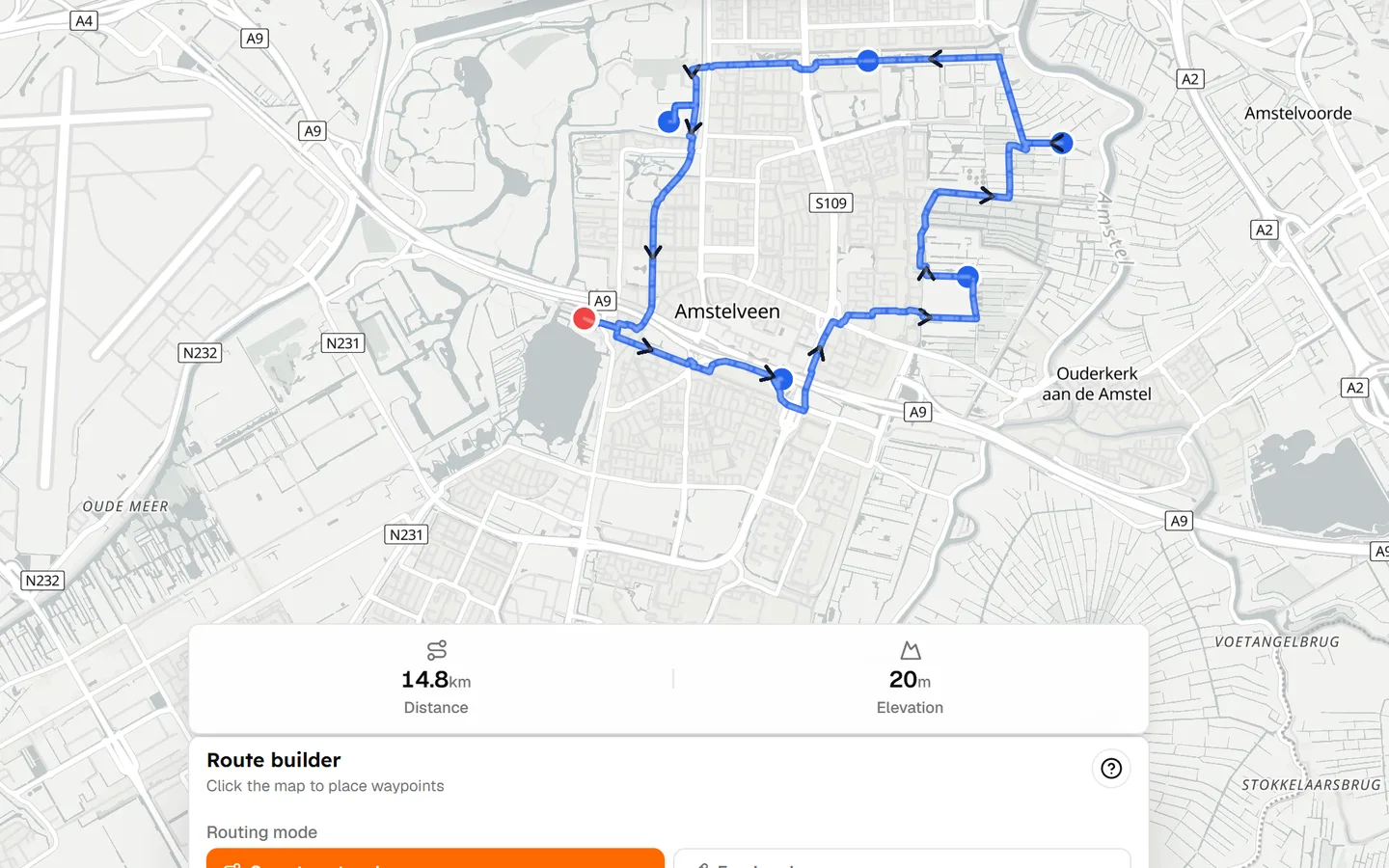
You want to go for a bike ride. You do not want a complex platform to learn first. Open the map, click where you will start, and shape the ride as you go. Distance updates as you add points, so you always know how far you are asking of yourself.
This free bike route planner is built to feel easier than the large cycling apps. No account is required to start drawing. Save when you like the line.
02
Create a route from A to B or make a loop
Some days you are riding to a café, a station, or a friend's house. Drop a start and a finish and let the bike route planner connect them on cycling-friendly roads.
Other days you want a loop that brings you home. Place waypoints around the area you like, close the circuit, and check the climbing before you commit. Both jobs use the same map — you are not switching modes in a buried settings screen.
03
See distance and elevation before you ride
A bike route map is only useful if you can trust the numbers. Tailwind shows distance and elevation while you build, so a 'quick hour' does not secretly become 70 km with a surprise climb.
That is the simple part of a bike ride planner. The useful part is what happens after the line exists.
04
Check the weather along your bike route
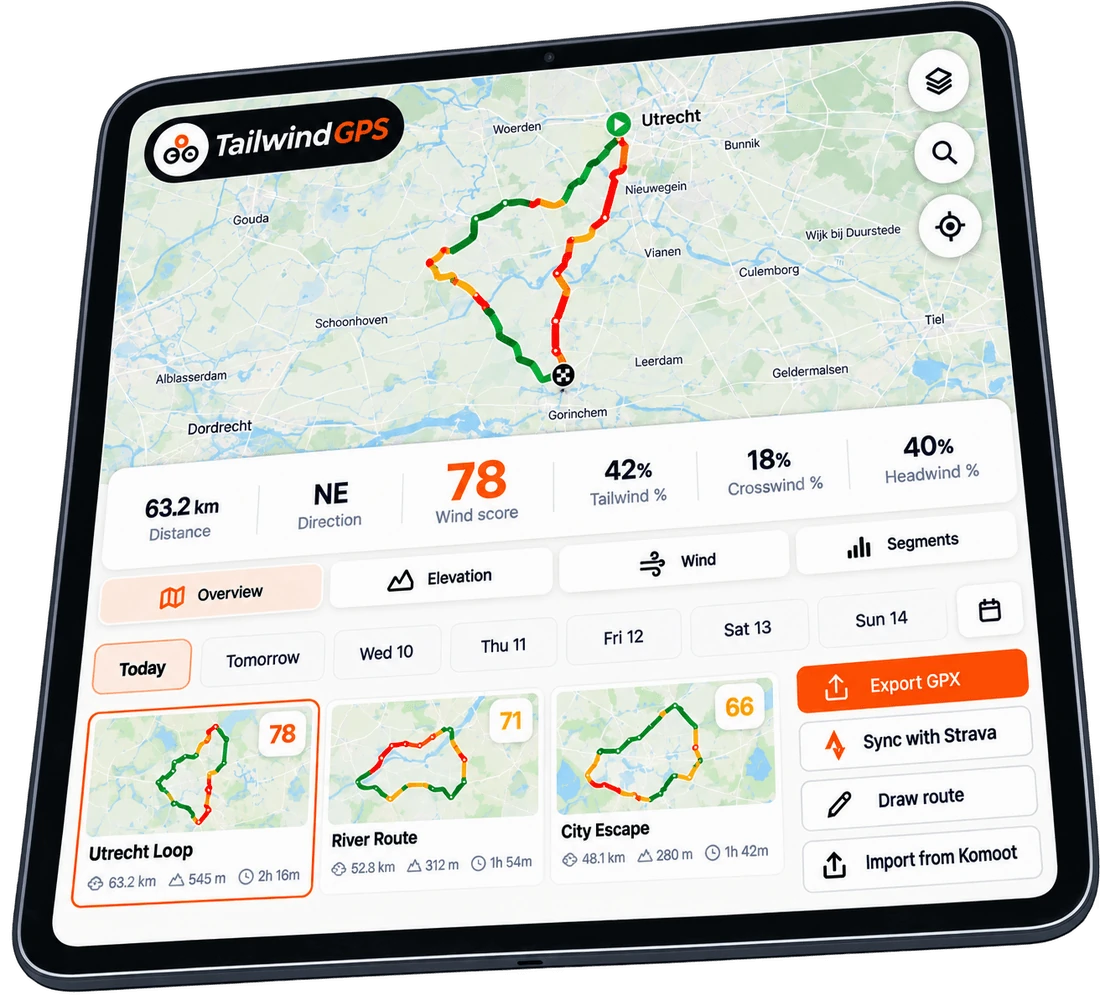
A normal weather app tells you what it is doing at home. You will not be at home for the whole ride. Tailwind looks at wind and rain along the bike route, not only at the start, so you can see whether the return is a headwind slog or a free ride.
That is where this planner moves beyond a generic free bike route planner online.
05
Find the best time to leave
Once the route is on the map, scroll the hours. Each departure gets a Tailwind Score. You are not interpreting wind arrows. You are choosing a time.
06
Import an existing bike route
Already have a GPX from a friend, an event, or another app? Upload it. Connect Strava if your usual routes live there. The bike route creator is optional — import is often faster.
07
Download your route as GPX
When the ride looks right, download GPX for a Garmin, Wahoo, or any app that opens the file. Plan here, ride wherever you already navigate.
08
Share your ride with friends
Send a link with the route, the score, and the hour you picked. They do not need an account just to look. It is the easiest way to say 'this is the ride, this is when it is nicest'.
09
Free to start
You can create a route on the map without signing up. A free account saves up to three routes, with GPX import and export, route sharing, and hourly Tailwind Scores for the next three days. That is enough to plan this week's rides and see whether weather-scored timing is useful to you.

Free forever on 3 routes
Stop guessing. Ride with the wind.
- Every route scored for wind, rain and temperature
- The best hour to ride, up to 3 days out
- Strava routes in with one tap
Free forever on 3 routes. No card.
Keep planning with Tailwind GPS
Frequently asked questions
Is there a free bike route planner?
Yes. Tailwind GPS is a free bike route planner to start: draw or import a ride, see distance and elevation, and check hourly weather scores on up to three saved routes. No app download is required.
How do I plan a bike ride?
Open the map, choose start and finish or sketch a loop, check distance and climbing, then pick a departure hour using the Tailwind Score. You can also upload a GPX if the route already exists.
What is the best bike route planner?
If you want a huge discovery library, Bikemap and similar apps are built for that. If you want a simple bike ride planner that also tells you when the route will feel best, Tailwind GPS is the better fit.
Can I create a bike route on my phone?
Yes. Tailwind is a mobile-first web app. Open it in the browser, add it to your home screen if you like, and plan a bike route without installing another store app.
Can I download bike routes as GPX?
Yes. Export GPX from your saved routes or from a shared link, then send the file to a bike computer or another planner.
Plan the ride. Then pick the hour.
A free bike route planner with weather-scored timing — no app to install.