
Cycling planner that connects to Strava: stop guessing the wind
You've got your favourite route saved in Strava. You check the weather, see "south-westerly 20 km/h", shrug, and head out anyway. Forty minutes later you're grinding into a headwind you didn't see coming.
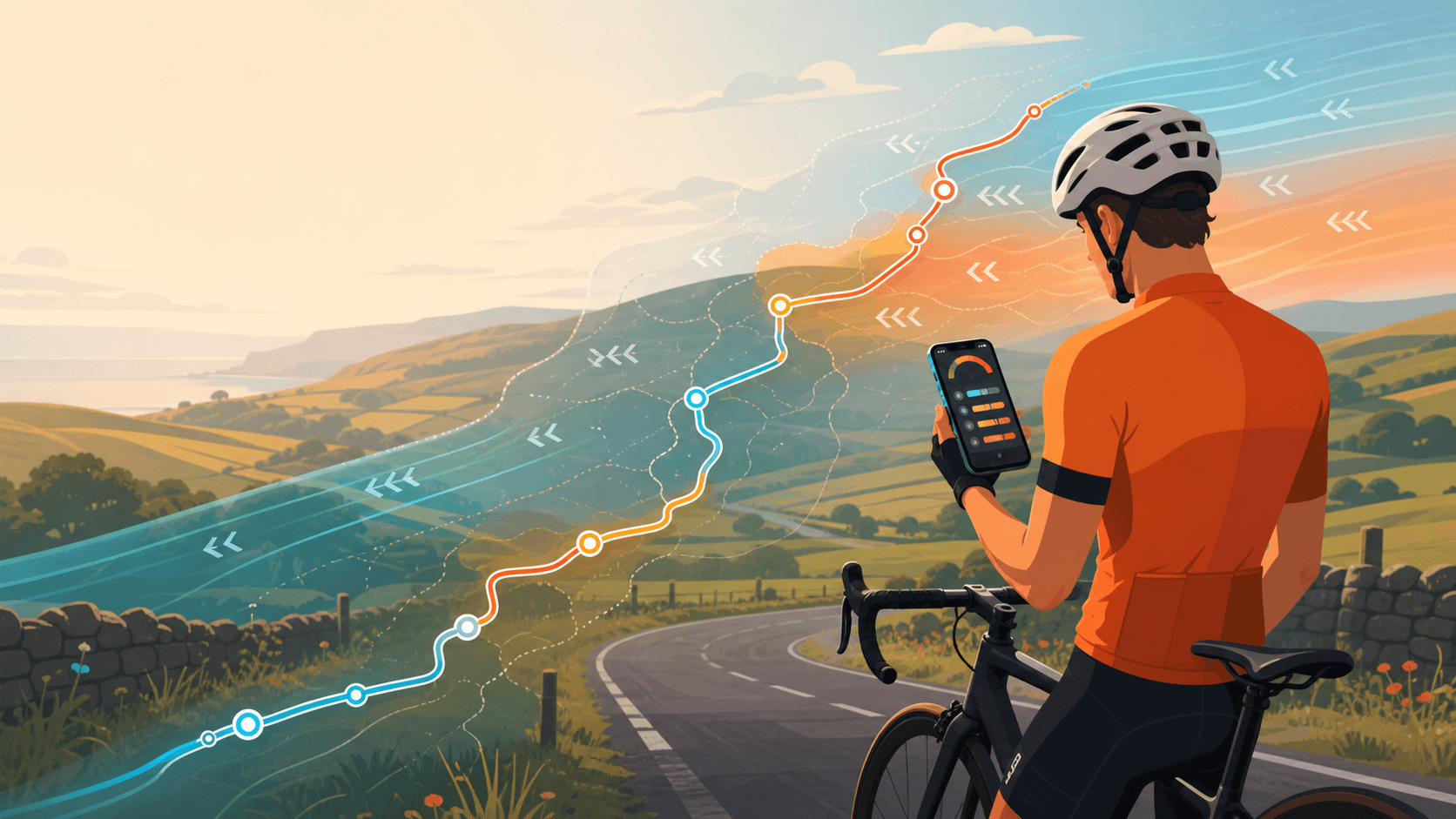
You've got your favourite route saved in Strava. You check the weather, see "south-westerly 20 km/h", shrug, and head out anyway. Forty minutes later you're grinding into a headwind you didn't see coming.
Sound familiar? That's the gap. Strava handles recording rides and building routes well, but it doesn't answer the question you actually need answered before you leave the house: should I ride this route today, and if so, when? Tailwind GPS fills that gap.
A cycling planner that connects to Strava should do more than just pull in your routes. It should take those routes and tell you what conditions will feel like along every kilometre, hour by hour, so you can pick the best departure time and avoid wasting a precious riding window on a route that's fighting you the whole way.
What "Strava-connected cycling route planning" should actually mean
At minimum, a Strava-connected planner should let you authorise your account, import the routes you already ride, and keep that data synced. That bit's table stakes.
What it should add on top of Strava is a route-specific wind and weather forecast tied to departure time. Not a pin on your postcode. Not a generic "windy today" banner. A forecast that tracks where you'll actually be on the route at each hour, accounts for the direction of each segment, and gives you a clear signal about when conditions will be in your favour.
What you need to bring: your routes (via Strava, or a GPX file if you prefer). What you get back: an hourly score and the best time to go.
How to connect Strava to Tailwind GPS (step by step)
Tailwind GPS is a mobile-first web app built specifically around this workflow. Here's how the connection works:
- Open Tailwind GPS in your browser (no app download needed, it works on your phone, tablet, or desktop).
- Sign up or sign in, then go to your account settings.
- Select "Connect Strava" and authorise the connection via Strava's standard OAuth screen. Tailwind only requests the permissions it needs to read your routes.
- Your Strava routes appear automatically. No rebuilding, no copy-pasting coordinates.
- Each route immediately gets a Tailwind Score for every departure hour across the forecast window.
If a route lives in Strava as private, the Strava API v3 requires the appropriate scope for private route access, so make sure you grant that during the authorisation step. And if you've got a route that isn't in Strava at all, you can upload a GPX file directly, draw a new route on the map, or snap to roads freehand.
What you get after linking: route-specific scoring, not generic forecasts
Once connected, every route in your list gets a Tailwind Score from 0 to 100 for each departure hour. The scoring works by dividing your route into segments, sampling wind direction and speed along each one, and then calculating whether the wind is working for you or against you at the time you'd actually be riding that section.
The bands are straightforward:
- 80–100: Excellent. Expect favourable tailwinds for most of the ride.
- 55–79: Great riding conditions.
- 40–54: Neutral.
- 20–39: Challenging.
- 0–19: Prepare for a tough one.
The score also factors in your riding speed, so it's personalised to where you'll be on the route at each point in time, not some average rider. Temperature and rain probability are layered in too, giving you a genuinely complete picture without needing to interpret a single wind rose.
This is what separates a cycling weather forecast along your route from a location-based weather app. A southwest wind at 20 km/h can mean a tailwind on your outbound leg and a brutal headwind home, depending on how your route sits. Tailwind GPS accounts for that.
Planning now vs planning 14 days ahead
The free plan gives you up to 3 saved routes and a 3-day forecast window. That's plenty for "should I ride this evening or tomorrow morning?"
Subscribers unlock a 14-day forecast window and up to 60 saved routes, plus a weekly best-rides email. At $2.99/month (or $19.99/year, with a 7-day free trial), the paid plan is aimed at riders who want to plan rides 14 days ahead for holidays, training blocks, or club weekends where getting the timing right genuinely matters.
If you're locking in a cycling holiday two weeks out and want to know which days to schedule your big mountain stage, the 14-day window is what you need. For everyday ride decisions in the next few days, the free tier handles it fine.
Choosing your route and departure time
The practical workflow is simple. Open Tailwind GPS, swipe through your saved routes, and compare hourly scores for today or the next few days. Pick the departure time that lands in your preferred riding window with the best score. That's it.
On a regular weekday route, this might mean checking whether 7am or 8am gives a better score. For weekend riders, it's comparing Saturday morning versus Sunday afternoon. For training, Tailwind GPS also has a Headwind Training mode that deliberately surfaces routes and times with sustained headwinds, useful for building strength without needing a coach or complicated software.
Between emails, subscribers can slide through departure hours on the map to see each hour's Tailwind Score as forecasts update — including rain probability along the route — without researching the forecast from scratch every day.
How Tailwind GPS fits alongside other tools
It's worth being honest about what different tools actually do, because they serve different needs:
- Strava Routes is useful for building routes using the heatmap and community data. It doesn't offer route-specific wind scoring or departure-time recommendations — connect Tailwind GPS for that.
- Komoot and Ride with GPS are strong navigation and route-discovery tools, with offline maps and device sync. Neither is built around answering "when should I leave based on wind along my route?"
- Tailwind GPS fills the gap between having a route and knowing when to ride it. It also includes route drawing, GPX import/export, and browser-based turn-by-turn navigation — but its core strength is the timing decision based on wind along your route.
A simple way to think about it: use Strava or Komoot to discover routes and handle offline navigation, and use Tailwind GPS to draw or import your routes, score them by departure hour, and navigate when you have a signal.
FAQs
What if I update a route in Strava? Routes sync from Strava, so if you modify one and re-import, the scoring updates to reflect the new line.
Can I use GPX if Strava doesn't have the route? Yes. Strava's API supports GPX export (via the getRouteAsGPX endpoint), and Tailwind GPS also accepts direct GPX uploads, so you're not locked into the Strava ecosystem.
Do I need to understand wind to use it? No. The whole point of the Tailwind Score is that you don't need to read wind arrows or pressure charts. One number, clear bands, done.
What does a Tailwind Score of 65–70 mean? That's typically a solid "good ride" window for most riders. If you're chasing personal bests, look for higher scores. If you just want to avoid the worst days, anything above the challenging band (20–39) is usually worth considering.
Does it work for training as well as easy rides? Yes. The Headwind Training mode flips the logic and highlights rides where sustained headwinds will make you work harder, which is useful for endurance building. See the best cycling apps for forecast-based planning guide for a broader comparison.
Pricing at a glance
| Free | Subscriber | |
|---|---|---|
| Saved routes | 3 | 60 |
| Forecast window | 3 days | 14 days |
| Weekly best-rides email | No | Yes |
| Price | Free | $2.99/month or $19.99/year |
There's a 7-day free trial on the paid plan, so you can check whether the 14-day window and weekly email are worth it for you before committing.
Connect Strava and find your best ever ride
The free plan is a no-risk starting point. Add your three most-ridden routes, connect Strava, and spend a week checking the scores against what you actually experience on the road. Most riders find the number matches their gut feel pretty quickly, and that's when it becomes genuinely useful for planning.
When you're ready to plan further ahead or want a weekly digest of your best windows, the subscriber plan is there. Open the interactive wind map, connect Strava, and see what your routes are scoring this week.
Connect Strava
Connect your Strava account and see hourly weather scores for every route you ride — free to start.

Free forever on 3 routes
Enjoyed that? Put it to work on your next ride.
- Every route scored for wind, rain and temperature
- The best hour to ride, up to 3 days out
- Strava routes in with one tap
Free forever on 3 routes. No card.
Related guides

Strava route planner vs weather-scored planning
Strava is genuinely excellent at route planning. The heatmap alone has probably sent millions of cyclists down roads they'd never have found otherwise. But if you've ever glanced at the forecast before a Saturday club run, set off into a gentle-looking 15 km/h wind, and spent the final 30 km g...
·8 min read
Tailwind GPS: Tailwind Score for your Strava routes, every ride
Connect Strava and get hourly Tailwind Scores for every route you ride — so you can plan your best ever ride, not just check the weather.
·3 min read