
Find your way around
A quick tour of the map, the top bar, the wind controls and the navigation bar in Tailwind GPS.
Almost everything in Tailwind happens on the map. These are the controls you will use most.
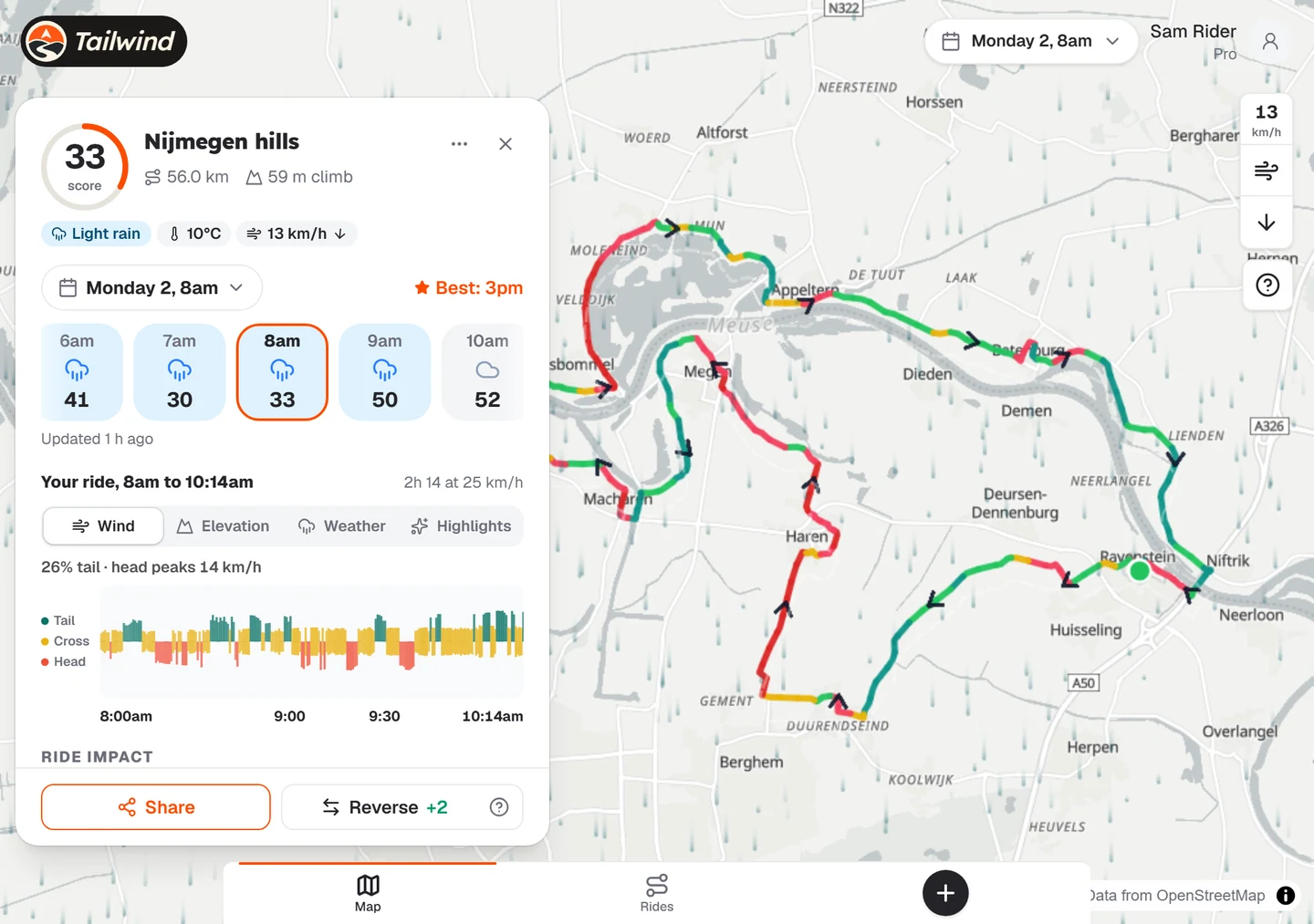
The top bar

- Departure time. The pill in the middle sets the day and hour you are planning for. Every score on the map follows it.
- Your account. Your name and plan open the account menu.
- Try Pro. Shown on the free plan.
The navigation bar

- Map shows your rides on the map.
- Rides opens your list of rides.
- + opens Add a ride, where you can upload, sync with Strava, discover or create a route.
The wind controls
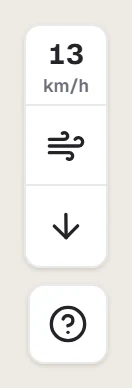
The tiles on the right of the map show the wind speed and direction at the time you have chosen. You can also turn the moving wind layer on and off. The question mark opens a short guide to the app.
The account menu
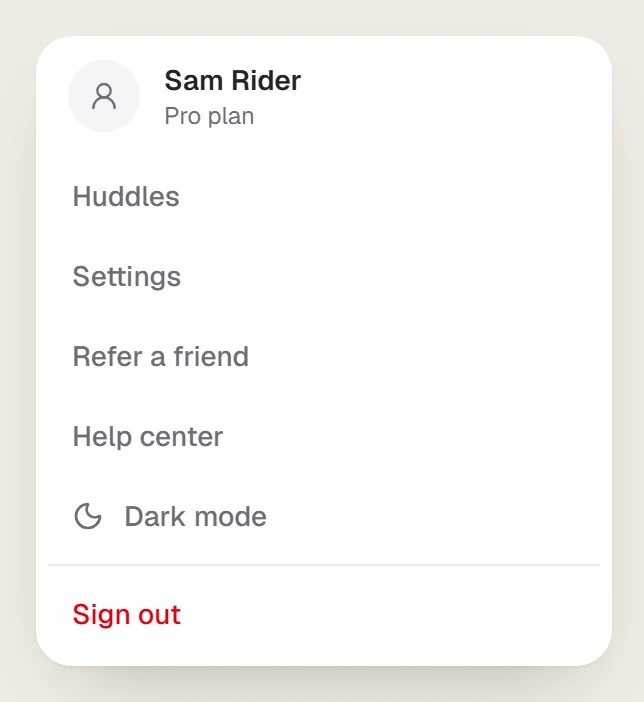
From here you can reach your Huddles, Settings, Refer a friend and this Help center, switch between dark and light mode, and sign out.
Last updated 31 October 2026