
Tailwind
Route explorerRoute builderCreate a huddlePricing

Tools

Wattage calculatorPower for any speed, hill or windTyre pressure calculatorFront and rear psi for your tyres

Learn

Cycle route guidesClassic routes, stage by stageGuidesPlan your rides around the windHelp centerHow to use Tailwind, step by stepChangelogWhat is new in Tailwind
Log inOpen app
Getting started
Create and manage routes
  • Create a route
  • Route drawing tools
  • Save a route
  • Generate a route with AI
  • Upload a GPX file
  • Import routes from Strava
  • Discover rides near you
  • Find and filter your rides
  • Rename a route
  • Download a GPX file
  • Reverse a route
  • Deactivate or reactivate a route
  • Route limits
  • Optimise a route
Scores and forecasts
Navigation
Sharing and Huddles
Account and settings
Plans and billing
Free tools
Troubleshooting
Browse Create and manage routes
Getting started
Create and manage routes
  • Create a route
  • Route drawing tools
  • Save a route
  • Generate a route with AI
  • Upload a GPX file
  • Import routes from Strava
  • Discover rides near you
  • Find and filter your rides
  • Rename a route
  • Download a GPX file
  • Reverse a route
  • Deactivate or reactivate a route
  • Route limits
  • Optimise a route
Scores and forecasts
Navigation
Sharing and Huddles
Account and settings
Plans and billing
Free tools
Troubleshooting
  1. Help center
  2. Create and manage routes
  3. Rename a route

Rename a route

Give a ride a new name from the list of rides or from its details.

  1. Open the menu

    In Rides, select … on the row. Or open the ride and select … next to its name.
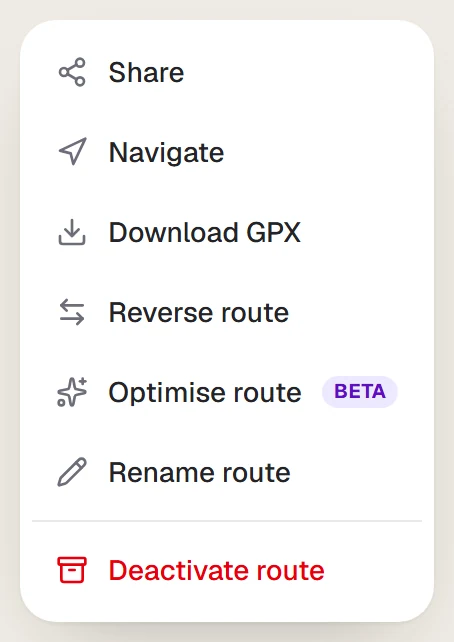
    The route actions menu on an open ride
  2. Choose Rename

    Select Rename route (Rename in the list).

  3. Enter the new name

    Type the name and select Save.
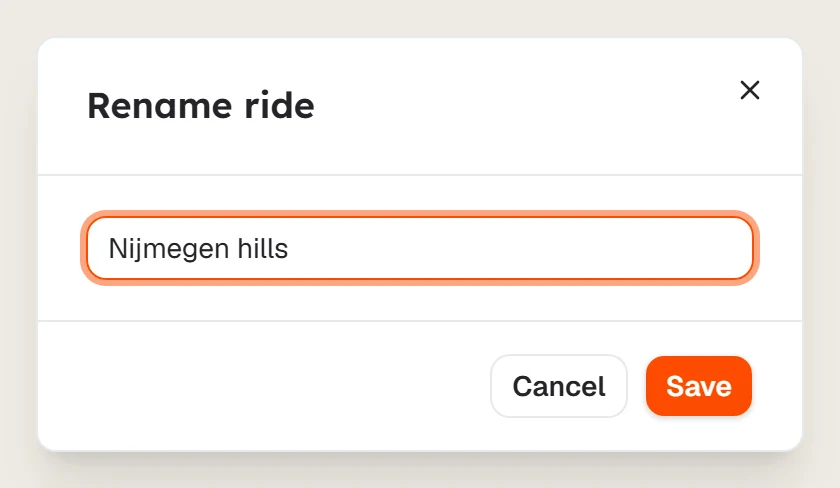
    The Rename ride dialog

Last updated 31 October 2026

Was this article helpful?

Related articles

  • Find and filter your ridesSearch, sort and filter your list of rides by score, distance or elevation, and see which ride Tailwind recommends for your chosen time.
  • Save a routeName your new route and select Save and score. Tailwind scores it against the forecast and adds it to your rides.
  • Deactivate or reactivate a routeFree up a ride slot without losing the route. Deactivated rides stay in your Archived filter and can come back at any time.
PreviousFind and filter your ridesNextDownload a GPX file

Still need help?

Tell us what happened and we'll get back to you by email.

Contact support
TailwindFind your best ever ride.

Product

  • Explore
  • Open map
  • Route builder
  • Ride Huddle
  • Pricing
  • How it works
  • FAQ

Planners

  • Cycling route planner
  • Bike route planner
  • UK cycle route planner
  • Weather along my route
  • E-bike route planner
  • Bike trip planner

Tools

  • Cycling wattage calculator
  • Bike tyre pressure calculator

Routes

  • Routes for London
  • Routes for Amsterdam
  • Routes for Los Angeles
  • Routes for Berlin
  • Route guides
  • All cycling routes

Guides

  • Wind apps compared
  • Route planners compared
  • How weather scoring works
  • Weather scores for Strava
  • All guides

Company

  • Help center
  • Our story
  • Changelog
  • Careers
  • Contact

Legal

  • Privacy
  • Terms
  • Cookies

© 2026 Tailwind. Made by cyclists, for cyclists.·