
Route drawing tools
What Follow cycle paths, Freehand, Undo, Loop and Clear do when you draw a route, and when to use each one.
Select How to make a route in the route panel at any time to open a summary of these tools. You can switch tools as you go, and what you have already drawn stays as it is.
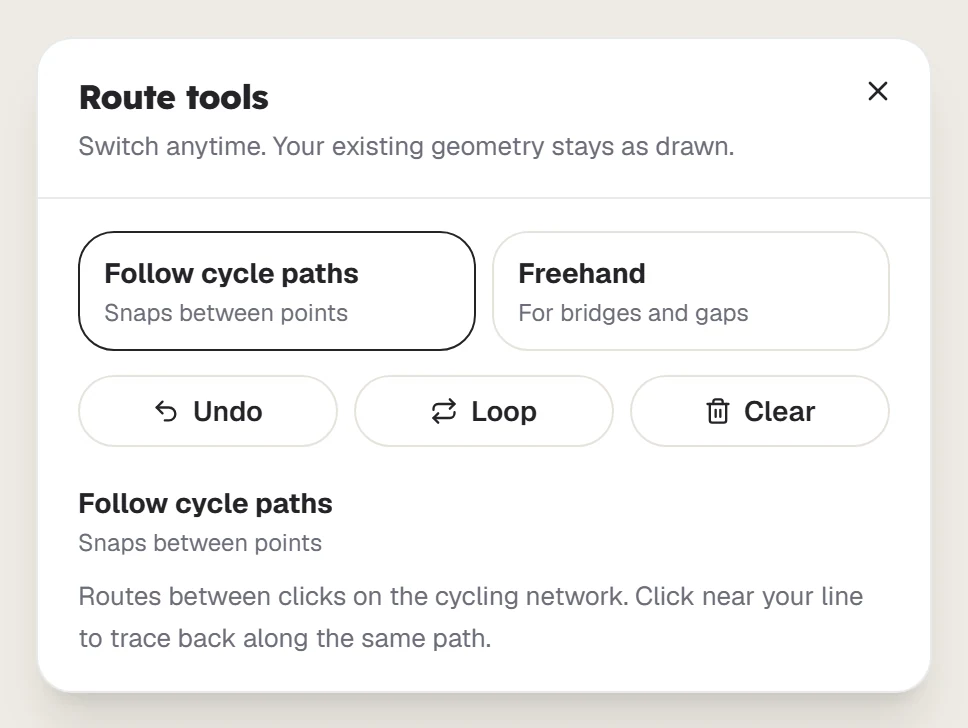
Follow cycle paths
This is the default. Your line snaps to the cycling network between clicks. Click near your line to trace back along the same path.
Freehand
Freehand draws straight lines between clicks, which is useful for bridges and gaps. It only snaps if a cycling path is within about 2 metres.
Undo, Loop and Clear
- Undo removes your last point.
- Loop routes you back to the start. It needs at least 3 points.
- Clear removes the whole line so you can start again.
Elevation and road types
The charts below the map update as you draw. Switch between Elevation and Road types to check the climbing and the surfaces you will ride.
Last updated 31 October 2026